![evive_logo_2col_pos_RGB.png]](https://support.evivebrands.com/hs-fs/hubfs/evive_logo_2col_pos_RGB.png?height=40&name=evive_logo_2col_pos_RGB.png)
-
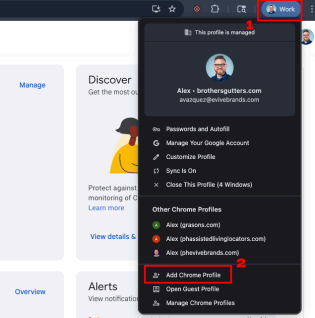
Click on the user icon in the top right corner of your Google Chrome browser and select “Add Chrome Profile”
-
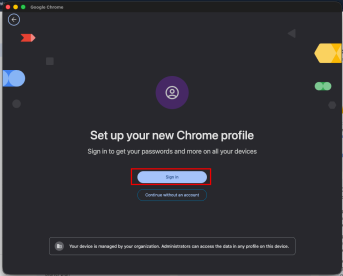
Click on Sign in
-
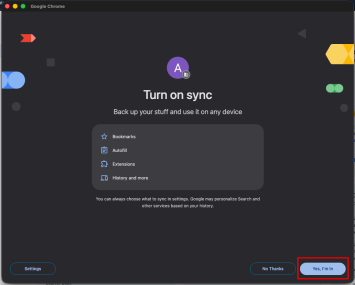
After signing in, Click on “Yes, I’m sure”. This will sync all of your Google information across all devices logged into the same account with sync enabled.